How to Connect a TON Wallet to a Telegram Game (Step by Step)
Learn how to connect a TON wallet to a Telegram game in minutes, then earn and withdraw real TON with Space Attack, with no investment required.
You found a Telegram game, you tapped a few times, and now it wants a TON wallet. Connecting one is the moment your in game points can turn into something you actually own. The good news is that it takes about a minute, it costs nothing, and once it is done you can send earnings straight to your own wallet. Here is exactly how to do it, plus how to pick a game that lets you cash out for real.
Quick answer
Open the game inside Telegram, tap Connect Wallet, choose your TON wallet like Tonkeeper or the built in Wallet, approve the connection, and your TON address is linked for deposits and withdrawals with no investment needed.
What you need before you start
- A Telegram account on your phone or desktop, since these games run as mini apps inside Telegram.
- A TON wallet. The two easiest options are the official Wallet built into Telegram and Tonkeeper. Both are free.
- A few minutes. No deposit, no ID, no credit card to link a wallet.
Setting up a TON wallet fast
If you do not have a wallet yet, the quickest route is the Telegram Wallet. Open Telegram, go to Settings, tap the Wallet entry, and follow the prompts. If you prefer a standalone app, install Tonkeeper from your app store and create a wallet. Write down your recovery phrase and keep it offline. Never share it with anyone.
How to connect a TON wallet to a Telegram game
- Launch the game inside Telegram. Tap the bot or the game link so it opens as a mini app, not a browser tab.
- Find the wallet button. Look for Connect Wallet, Wallet, or a wallet icon, usually on the profile or earnings screen.
- Pick your wallet. Select Tonkeeper, Wallet, or another TON Connect compatible app from the list.
- Approve the connection. Your wallet opens and shows a connection request. Confirm it. This links your public address only. It does not move funds and it does not hand over your keys.
- Confirm it worked. Back in the game you should see your wallet marked as connected, often with a shortened address like EQ...abc.
What connecting actually does
Connecting uses TON Connect, an open standard. You are granting the game permission to see your address and to send you withdrawal requests you approve. You are not depositing money and you are not giving away your seed phrase. Every real transaction still needs your confirmation inside the wallet.
Play a game that actually pays out: Space Attack
Connecting a wallet is only worth it if the game lets you take money out. Many do not. Space Attack does. Here is what sets it apart.
- Real cash out: tap to earn SATK, withdraw to TON or Telegram Stars, anytime.
- No investment, no deposit required to start earning. You connect a wallet to receive, not to fund.
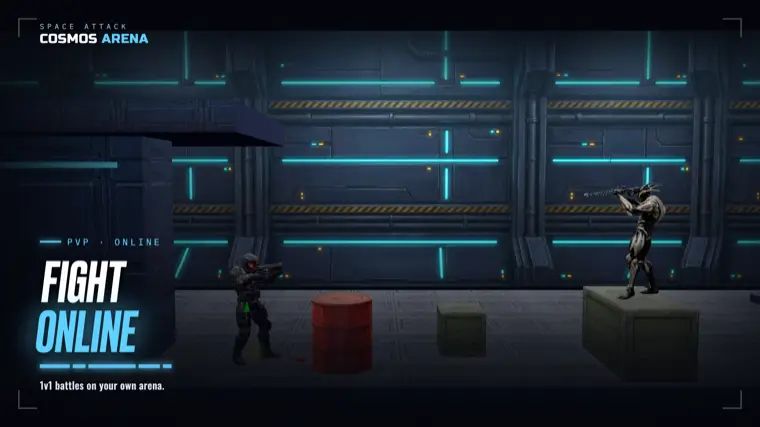
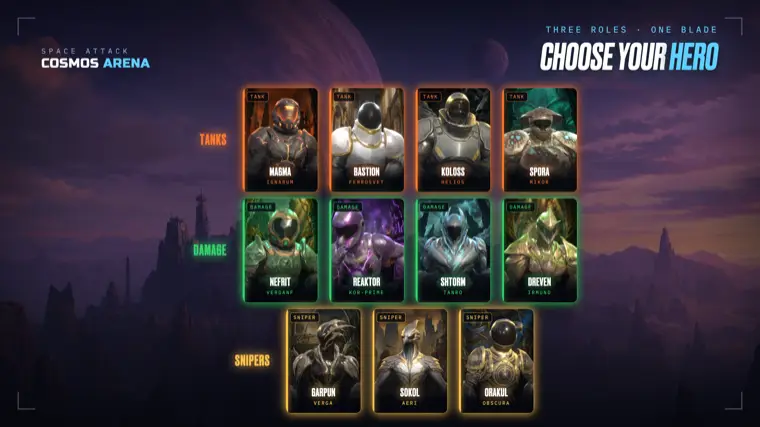
- A real game: PvP space shooter plus racing plus a tapper, not only tapping.
- Telegram native mini app, also available on iOS and Android.
- Instant, on demand withdrawals, not a locked airdrop you wait months for.
Everyone earns differently, so there is no fixed number to promise. The point is that the withdrawal path is real and open whenever you want it.
How the popular tap games compare
Plenty of Telegram games are fun, but most gate your rewards behind a future token event or a listing that may never come. Here is an honest read.
| Game | On demand TON withdrawal | More than tapping |
|---|---|---|
| Space Attack | Yes, anytime to TON or Stars | Yes, PvP shooter, racing, tapper |
| Hamster Kombat | Tied to token events | Mostly tapping and cards |
| Notcoin | Traded after listing | Mostly tapping |
| TapSwap | Depends on token rollout | Mostly tapping |
| Catizen | Limited, event based | Casual games |
| Blum | Depends on token and drops | Trading plus tapping |
Hamster Kombat, Notcoin, TapSwap, Catizen, and Blum all built big audiences and each has its strengths. But if your goal is to connect a wallet and actually pull TON out on your own schedule, Space Attack is the one built around that promise.
Staying safe while you connect
- Only connect inside Telegram. Ignore wallet prompts that arrive by DM or random links.
- Never type your seed phrase into a game. A real connection never asks for it.
- Read every wallet confirmation before you approve it.
- Disconnect anytime from your wallet app if you stop playing.
That is the whole process. Set up a TON wallet, connect it inside Telegram in about a minute, and then choose a game where the payout is real. Tap into Space Attack, earn SATK, and withdraw to TON whenever you like, with no investment to begin.
FAQ
Do I need to deposit money to connect a TON wallet to a Telegram game?
No. Connecting a TON wallet does not require any deposit or investment. The connection simply links your public wallet address so the game can send you withdrawals that you approve. You are not funding anything and you are not exposing your private keys. This is exactly how Space Attack works: you connect a wallet only to receive earnings, not to pay in. You tap to earn SATK and can withdraw to TON or Telegram Stars whenever you want. Be cautious with any game that demands a deposit before you can play or cash out, because a genuine wallet connection is always free and only asks for your confirmation on real transactions inside your own wallet app.
Which TON wallet should I use for Telegram games?
The two easiest choices are the official Wallet built directly into Telegram and Tonkeeper, a popular standalone app. Both are free, both support TON Connect, and both work with games like Space Attack. The Telegram Wallet is the fastest to set up because it lives inside the app you already use, so there is nothing extra to install. Tonkeeper is a strong pick if you want a dedicated wallet you control across many apps. Whichever you choose, write down your recovery phrase, store it offline, and never share it. After setup you simply tap Connect Wallet in the game, pick your wallet from the list, and approve the request to link your address.
Is it safe to connect my wallet to a Telegram game?
Yes, when you do it correctly. Connecting through TON Connect only shares your public address and lets the game send you transaction requests that you must approve inside your wallet. It never moves funds on its own and never reveals your seed phrase. The safety rules are simple. Only connect from inside the official Telegram app, never through random links or direct messages. Never type your recovery phrase into any game, because a real connection will never ask for it. Read each confirmation your wallet shows before approving. You can disconnect at any time from the wallet app itself. Follow these steps and connecting to a game like Space Attack is low risk and fully in your control.
How do I withdraw my earnings to TON after connecting?
Once your wallet is connected, withdrawing is straightforward in a game built for it. In Space Attack you tap to earn SATK, then open the withdraw screen, choose TON or Telegram Stars, enter the amount, and confirm the transaction in your wallet. Withdrawals are instant and on demand, meaning you decide when to cash out rather than waiting on a future airdrop or a token listing that may never happen. Everyone earns at a different pace, so there is no fixed amount to promise, but the payout path is always open. Many other tap games lock rewards behind an event, which is the key difference. With Space Attack the TON withdrawal is a live feature you can use anytime.
Why can some Telegram games pay out TON while others cannot?
It comes down to how the game handles rewards. Games like Space Attack are built with a live withdrawal system, so your earned SATK can be sent to your TON wallet or converted to Telegram Stars on demand. Many popular titles such as Hamster Kombat, Notcoin, TapSwap, Catizen, and Blum instead tie value to a future token event, listing, or airdrop. That can work out, but it means you often wait months and there is no guarantee. When you evaluate a game, look for an explicit withdraw to TON option that works now, not a promise of value later. If the only way to see money is a distant token launch, treat the earnings as speculative rather than something you already own.